Microsoft Access File Reader – How to Read Inaccessible MDB Files?
How to Read Inaccessible MDB Files?
- Look for Third Party Access Recovery Tools: Search for the available third-party Access file repair tools.
- Try Demos: Always look for the tools that come with free demo versions like Access Recovery tool is available in its free demo version. This helps you to get complete idea about the tool.
- Buy the Tool: After settling on the right product, buy it quickly. Delaying the job can pose threat to your data.
- Run the Tool on Your Machine: After purchasing the tool, run it on our system and follow the successive steps of recovery.
- Healthy Files Created: Access Recovery software works as a Microsoft MDB file reader tool that reads and repairs corrupted MDB files and creates healthy MDB files.
- Read Access Files: After recovery, you can easily open and read Access files and you will not see any error message on your screen while attempting to open those healthy files. So, the software that you use works as MS Access file reader tool.
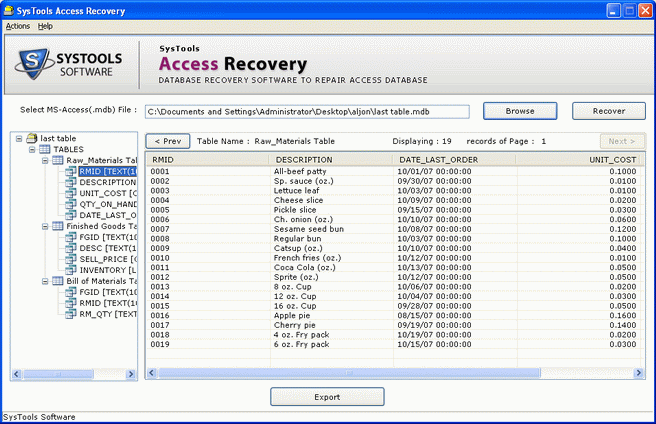
Access Recovery software can work as an Microsoft Access file reader tool for you that will help you to repair corrupted Access MDB files and to create healthy MDB files which you can easily open and read.
Download Trial Version & Buy Licensed Key
Download the trial version of Microsoft MDB file reader tool to know the working procedure of how to repair MS access database in professional way. Trial version of Microsoft access file reader tool also provides the preview of recovered database.
To export or save the database on system location you have to invest only $69 for Microsoft Repair access database tool and easily restore damaged MDB/ACCDB files on system location without getting any trouble.



Our talented and expertise support team, get the perfect solution of your queries 24*7. Our expert team 24*7 availaible to solve your problems and provide you correct results for your queries.